

Christmas Gift
🎄 Christmas Gift Twitch Overlay Package – A Festive Revolution for Your Holiday Streams
The holidays are more than just a time of celebration—they’re a moment of connection, warmth, and unforgettable memories. As a streamer, your content doesn’t just entertain—it brings people together. That’s exactly why the Christmas Gift Twitch Overlay Package was designed: to help you turn your stream into a magical winter wonderland that wraps your viewers in a blanket of cozy, festive joy.
Whether you're a seasoned Twitch streamer, a rising YouTube creator, or a casual content maker looking to spice up your December broadcasts, this package offers everything you need to capture the heart of the season.
❄️ The Power of Seasonal Branding
In the world of streaming, visual identity is everything. While your gameplay or commentary might bring people in, your stream’s visual atmosphere is what makes them stay—and more importantly, come back. During the holiday season, viewers crave comfort, emotion, and immersion.
That’s why switching to a holiday-themed overlay is more than just a visual upgrade. It’s a complete shift in energy that aligns your content with the warmth of the season. It shows your community that you care enough to elevate your stream experience and celebrate the holidays with them.
🎁 Designed to Spread Cheer (Not Confusion)
We know how overwhelming it can be to try new graphics, especially when you’re juggling content creation, editing, live interaction, and technical setup. That’s why the Christmas Gift Package is crafted for simplicity and adaptability.
It’s fully compatible with major broadcasting platforms like:
-
OBS Studio
-
Streamlabs
-
Twitch Studio
-
YouTube Live
-
Facebook Gaming
The files are organized, optimized, and ready to go—because your time is better spent entertaining your audience, not navigating folders.
🔥 What Makes It Unique?
While many stream overlays flood the market with generic, overused designs, this package focuses on storytelling through design. Every visual element is tailored to reflect a mood: snowy tranquility, joyful celebration, and heartfelt connection.
It’s not just about slapping snowflakes on your stream—it’s about transporting your audience into a space where they feel the holiday energy.
🌟 Perfect For Every Type of Stream
One of the most powerful aspects of this package is its versatility. It doesn’t matter what kind of streamer you are—this overlay adapts to your flow.
✅ Gaming
Whether you're grinding through holiday events in your favorite multiplayer game or diving into cozy indie titles, the overlay adds charm without distraction. From competitive action to slow-paced storytelling, your gameplay shines through the festive frame.
✅ Just Chatting
Hosting a Q&A? Having a chill holiday talk with your community? Planning a New Year giveaway? The Christmas Gift aesthetic creates the perfect mood for engagement and warmth.
✅ Events and Collabs
Doing a charity stream? Hosting holiday competitions? Streaming with friends? This package elevates the professionalism of your event and creates a cohesive brand feel across all your scenes.
🧠 Emotional Connection = Higher Retention
Here’s something many streamers overlook: emotion creates loyalty.
During December, people are drawn to content that makes them feel something. Nostalgia. Peace. Laughter. When your stream reflects the season, viewers are more likely to linger longer, engage more, and come back tomorrow.
This overlay doesn’t just look good—it connects.
🧩 Plug-and-Play Integration
You don’t need to be a tech expert to get started. Whether this is your first time using overlays or your tenth seasonal revamp, you’ll find the process straightforward:
-
Download the files instantly after purchase.
-
Import into OBS/Streamlabs with just a few clicks.
-
Customize your stream layout to fit your brand.
-
Go live and spread the cheer.
You can be fully set up in under 15 minutes.
🌍 Built for Global Streamers
Holiday spirit knows no borders. This package is built with international streamers in mind. Whether you're streaming from snowy Canada, sunny Australia, or anywhere in between, the festive aesthetic hits universally.
Celebrate Christmas, Winter Solstice, New Year’s Eve, or general winter vibes—whatever suits your audience best.
🛡️ Reliable Support + Updates
Purchasing from FragileGFX means more than just getting a file—it means joining a creative ecosystem.
We provide:
-
24/7 customer support in case you need help setting up.
-
Free seasonal updates if enhancements are released.
-
Access to exclusive discounts for future releases or bundles.
💬 What Other Streamers Are Saying
“I’ve been using FragileGFX overlays for over a year now, and this one is hands down my favorite. It instantly made my December streams feel more magical.”
— @WinterVibesTTV
“I run a small YouTube channel and wanted a cozy overlay for my VODs. This was perfect. Easy to install, beautiful to look at.”
— @CozyCamYT
“This overlay actually boosted my engagement. I think viewers just love the vibe. Definitely worth it.”
— @FestiveGamer
🏁 Final Thoughts: Make Every Stream a Gift
Your stream is your stage. Your viewers are your audience. And the holidays are your opportunity to leave a lasting impression.
With the Christmas Gift Twitch Overlay Package, you're not just decorating your stream—you’re creating an experience.
Ready to bring the magic to life?
Download now, and make your stream feel like home for the holidays.
What's Included
Package contents
What you get from buying this full pack.
Animated
Animated
Animated
2 Different versions
Static
Contact for changes
Animated
For all platforms
Animated
Animated
Animated
Animated
Animated
For Streamlabs & OBS Studio
Youtube Videos
Static
With PSD file to edit
Static
With PSD file to edit
All you need to know
Tutorials designed exclusively to simplify the setup of each and every component of our Stream Overlays
One-Click Installation
Our premade installation files make it a breeze to incorporate overlays and alerts into any stream you select.
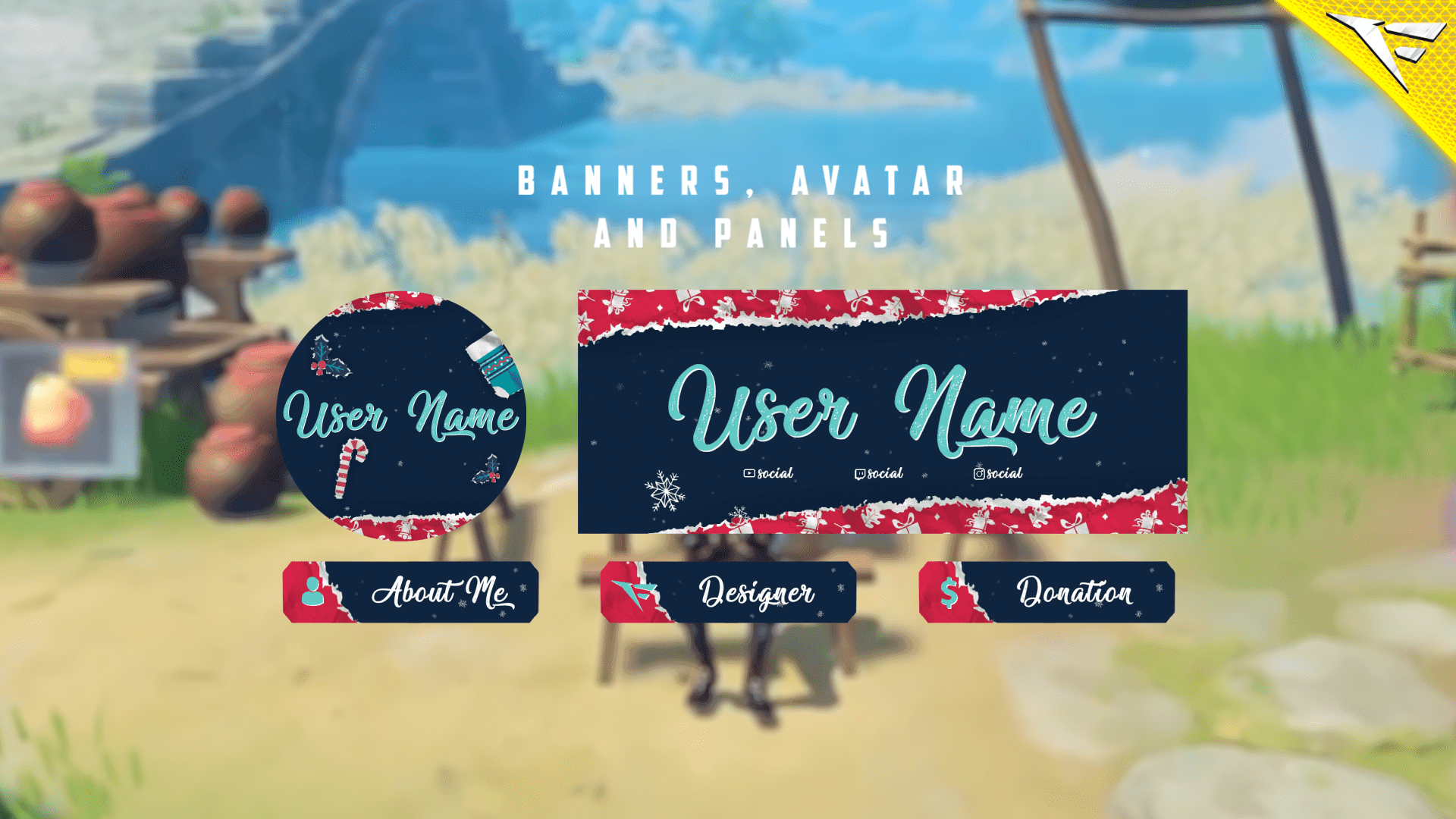
Banner and Profile Pic
You can easily edit your Banner or profile pic through Photoshop, As shown it's a simple as changing a text, If you don't have Photoshop then just contact us through live chat or Discord and we will do it for you.
Support
You can contact us via Discord for more effectively support and to get your revisions done in a minute.
You also might like




FAQ
Possible inquiries about our services and Stream Overlays
How do I install this Twitch overlay in OBS?
To install this Twitch overlay in OBS
- Download the overlay files from your order confirmation email.
- Open OBS Studio.
- Click the '+' icon under Sources and select 'Browser'.
- Name your source and click OK.
- Check 'Local file' and browse to the downloaded overlay HTML file.
- Set Width to 1920 and Height to 1080.
- Click OK to add the overlay to your scene.
Is this Twitch overlay compatible with Streamlabs Desktop?
Yes! All FragileGFX overlays are compatible with both OBS Studio and Streamlabs Desktop. The installation process is similar - simply add the overlay files as a browser source in either streaming software.
Can I customize the colors of this overlay?
Yes, our overlays are fully customizable. Each overlay package includes documentation on how to change colors, text, and other elements.
What resolution is this Twitch overlay?
All FragileGFX overlays are designed in 1920x1080 (Full HD) resolution, which is the standard streaming resolution for Twitch and YouTube. They will automatically scale to fit your stream settings.
Do I need any special software to use this overlay?
ou only need streaming software like OBS Studio (free) or Streamlabs OBS (free) to use our overlays. No additional software or subscriptions are required. The overlays work right out of the box.
Can I use this overlay for commercial streaming?
Yes! Once you purchase a FragileGFX overlay, you have a commercial license to use it on your Twitch, YouTube, or Facebook Gaming streams. You can monetize your streams without any additional fees.
What's included in this Twitch overlay package?
Each overlay package typically includes: webcam frame, alert overlays (follow, subscribe, donation), transition screens, starting soon screen, be right back screen, ending screen, and all necessary graphics files. Specific items vary by package - check the product description for full details.
Will this work with StreamElements or other alert systems?
Yes, our overlays are compatible with all major alert systems including StreamElements, Streamlabs Alerts, and StreamLabs. The overlays are designed to work alongside these services seamlessly.